Now on the App Store

Strum & Sing

Find songs you can play, start with nursery rhyme play-alongs, learn chord shapes, warm up your voice, and keep practice moving with daily Mystery Sequence and Practice Circle wins.

For iPhone. Designed for short daily song, guitar, voice, ear-training, and circle practice sessions.

Songs Choose a song or nursery rhyme and see chords, rhythm, and play-along guidance.
Chords Learn beginner chord shapes before using them in songs.
Warm Up Set your scale and sing guided exercises while the piano leads.
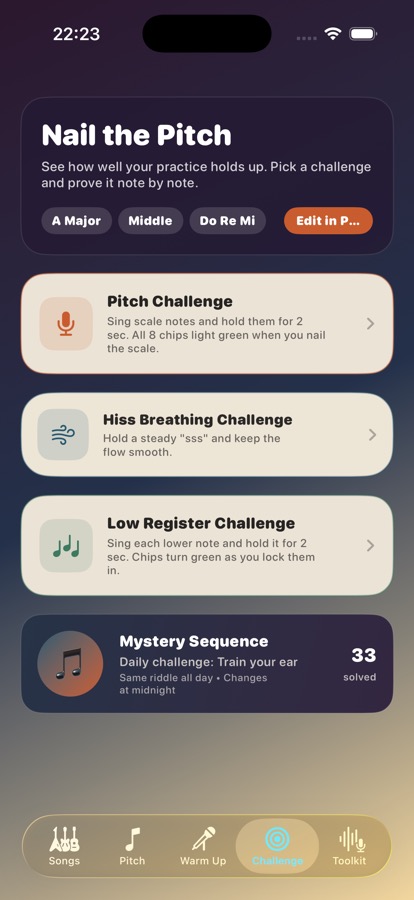
Challenge Solve Mystery Sequence and pitch-control exercises.
Circle Share small practice wins with a private Practice Circle.
Toolkit Open Strum Studio, Live Scale, Sing & Play, Tanpura, Tuner, and Learn Chords.

Built for practice

A simple loop for songs, rhythm, chords, pitch, and ear confidence.

Strum & Sing keeps each practice job focused: start with a nursery rhyme or song, practise the rhythm, learn the chord shapes, set your scale, warm up, then use challenges and your Practice Circle to keep the habit moving.

01

Songs

Browse beginner-friendly songs with chords, suggested strumming patterns, tempo, capo notes, and a play-along grid.

02

Nursery rhymes

Practise familiar rhymes with lyric rows, chord changes, tune, strum, click, and loop controls.

03

Learn Chords

Build simple guitar shapes with clear diagrams, finger numbers, and chord sound references.

04

Pitch setup

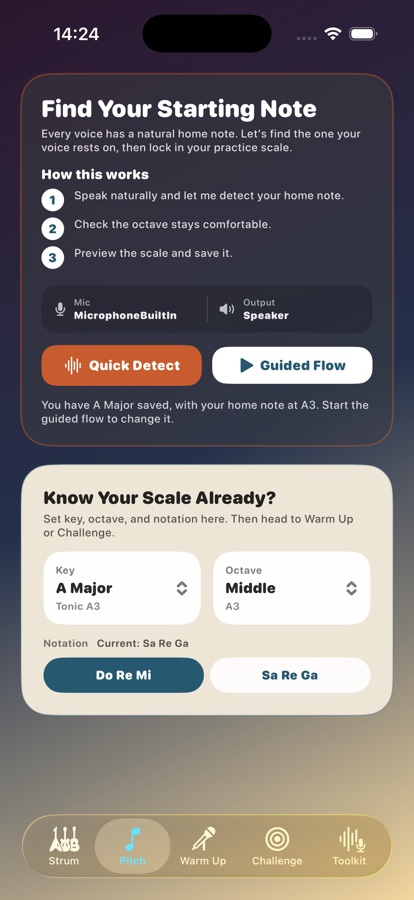
Use Quick Detect or the guided flow from Warm Up or Toolkit to find your home note and carry it into practice.

05

Warm ups

Practise scale notes, lower notes, and steady hiss breathing with microphone feedback and simple progress cues.

06

Challenge

Sing scale notes, work on breath control, practise lower notes, and solve the daily Mystery Sequence.

07

Practice Circle

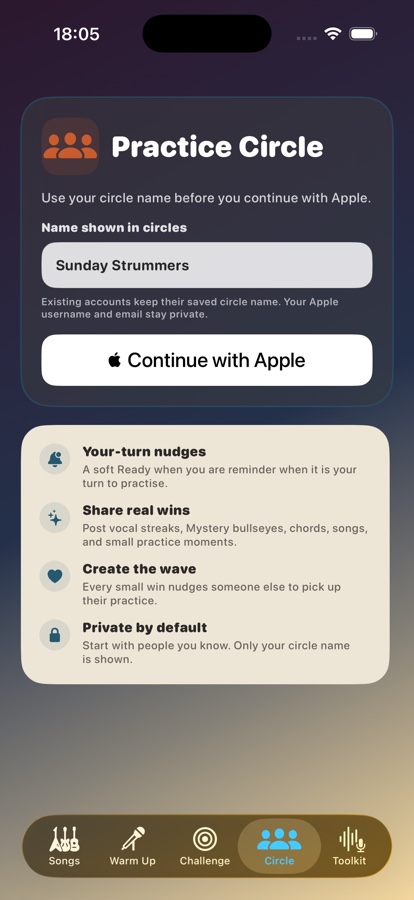
Create or join a private circle, share fixed practice wins, react once, and keep each other gently moving.

08

Toolkit

Use Strum Studio, Live Scale, Sing & Play, Tanpura, Tuner, and Learn Chords when you want one focused tool.

09

Guitar tuner

Check standard guitar strings with live mic feedback before you start playing.

Songs

Start from nursery rhymes or songs, then practise the pattern.

Pick a rhyme or song, see the chord shapes, follow the suggested rhythm, and use the play-along grid before putting it all together.
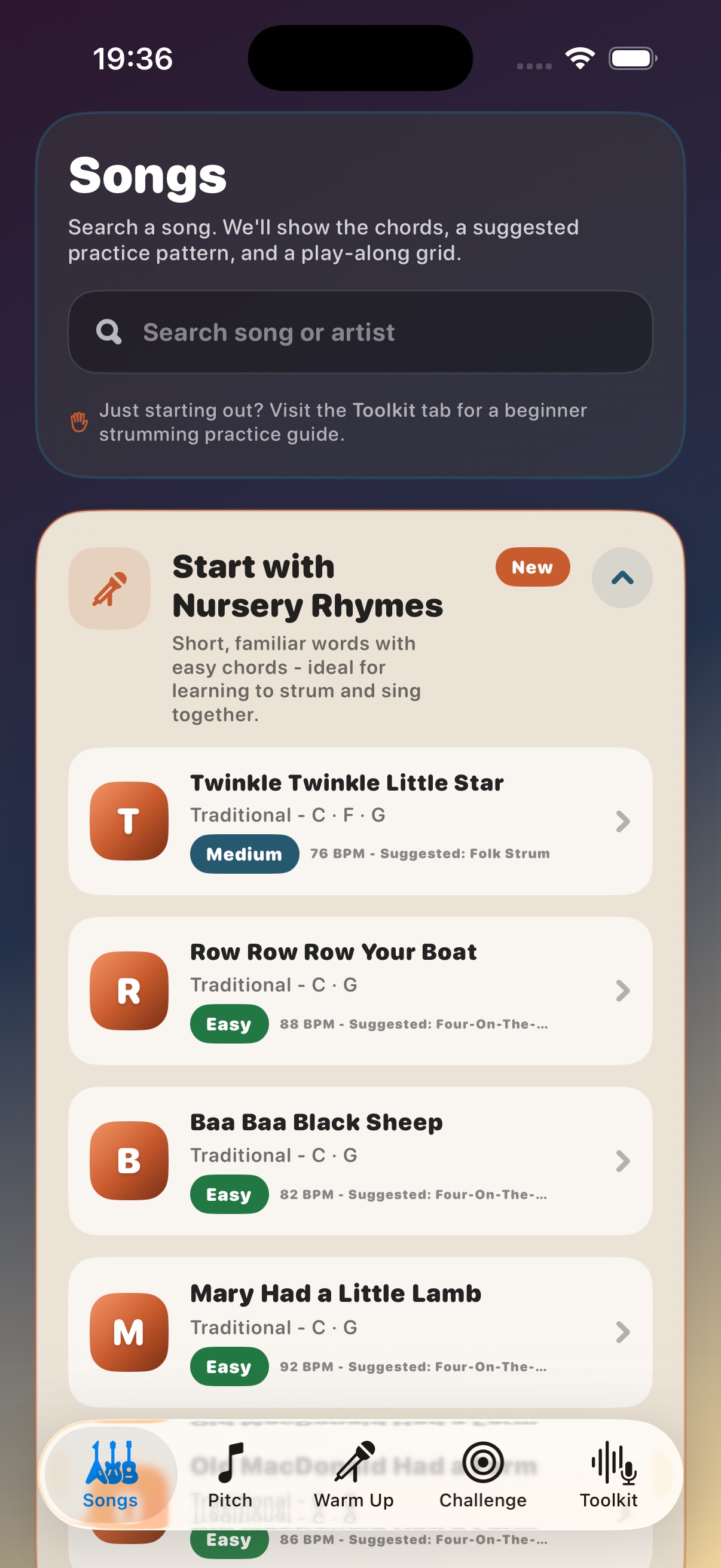
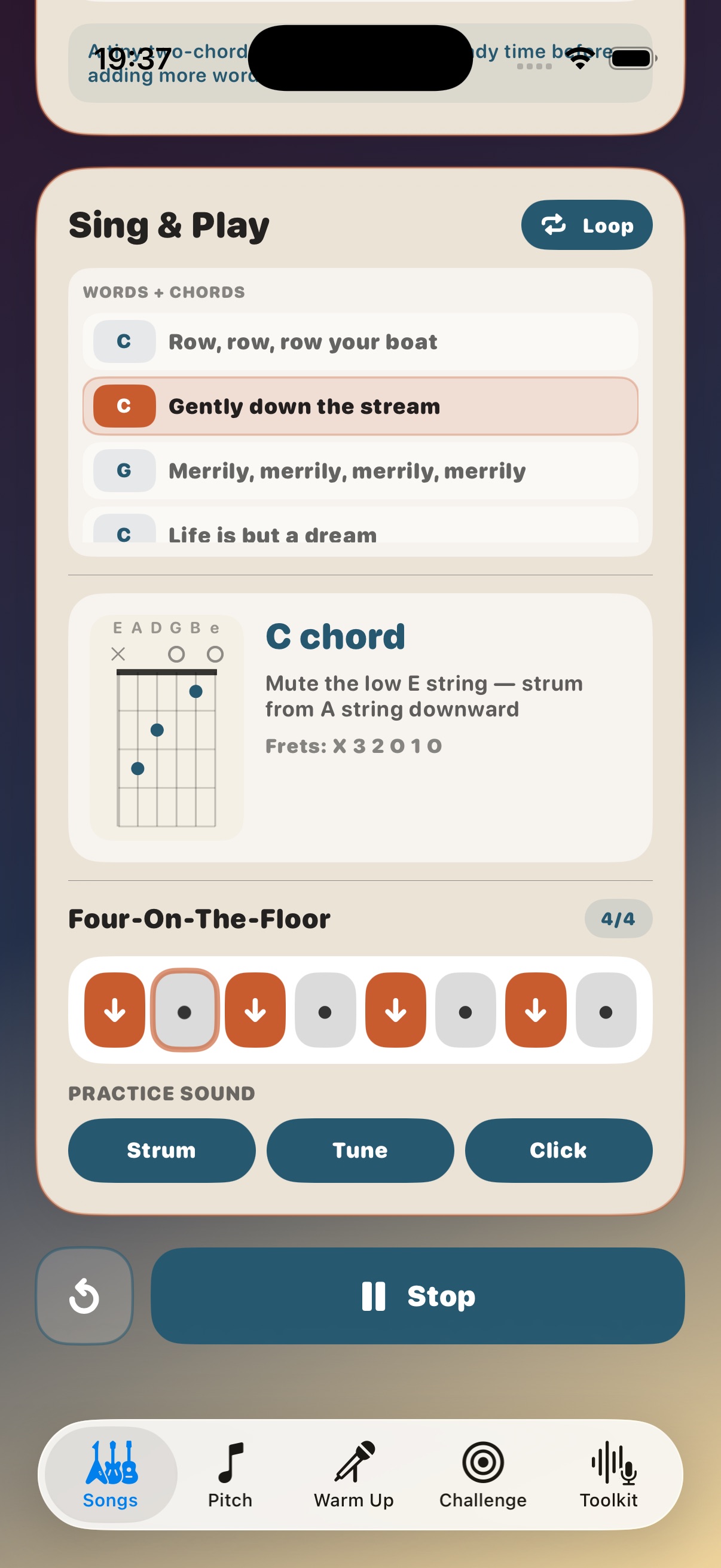
  • Nursery rhyme practice with lyric rows, chord changes, tune, strum, click, and loop controls.
  • English and Bollywood song lists with beginner-friendly chord shapes.
  • Suggested strumming pattern, tempo, capo, and song-specific guidance.
  • Chord maps, chord diagrams, and play-along controls for focused practice.
Songs tab showing Start with Nursery Rhymes, song search, chords, and suggested strumming patterns
Nursery rhyme play-along showing lyric rows, chord diagram, strumming grid, and practice sound controls

Sing with chords

Use familiar words while the app keeps the rhythm visible.

Nursery rhymes give beginners a safe place to coordinate voice, chord changes, and strumming before moving into full songs.
  • Lyric rows show where the chord changes happen.
  • The current chord diagram stays close to the active line.
  • Separate strum, tune, click, and loop controls let practice stay focused.
Find Your Starting Note screen showing Quick Detect, Guided Flow, and scale settings

Pitch setup

Find the scale your voice can actually use.

Pitch setup is available from Warm Up and Toolkit, so you can save a comfortable home note and notation style without jumping around the app.

  • Quick Detect for a fast starting point.
  • Guided flow for checking octave comfort.
  • Manual key, octave, and notation settings when you already know your scale.

Vocal practice

Warm up first, then test whether the notes are landing.

Warm Up teaches the placement. Challenge checks it. Mystery Sequence keeps the ear-training part short, musical, and repeatable.
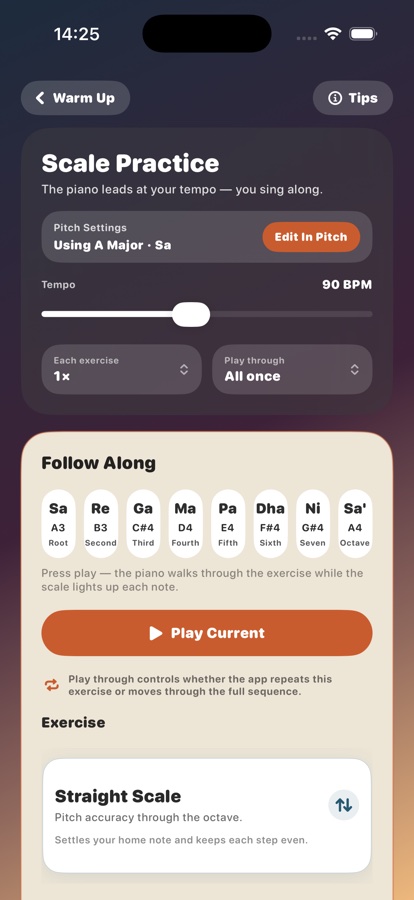
Scale Practice screen showing Sa Re Ga notes and Play Current
Challenge tab showing daily vocal challenges
Step 1

Set pitch

Pick or detect the home note and scale that fit the voice.

Step 2

Warm up

Follow piano-led exercises like Straight Scale and Ascending Pyramid.

Step 3

Mystery

Hear a short sequence, sing it back, and use hints when needed.

Step 4

Toolkit

Open the right helper: Strum Studio, Live Scale, Sing & Play, Tanpura, or Tuner.

Challenge tab showing daily ear-training exercises

Mystery Sequence

Make ear training feel like a small daily puzzle.

Mystery Sequence plays a short melody and asks you to sing it back. The app listens, locks notes as you hit them, and gives a hint without turning the exercise into a lecture.

  • Six daily sequences so practice stays short and achievable.
  • Difficulty changes the note choices, octave range, and sequence length.
  • Hints explain notes relative to the saved home note.
  • Music tips unlock after solved sequences before moving to the next one.
  • Share your daily Mystery Sequence score when you want to celebrate a win.

Practice Circle

A private place to keep the practice wave moving.

Create a small circle with friends or family, share fixed practice wins, and react with encouragement. No free-text feed is needed, so the circle stays simple and focused on progress.
  • Invite people with a circle code and keep each circle separate.
  • Post simple wins like song practice, strumming, chords, warm up, or Mystery Sequence.
  • Set a gentle Ready when you are reminder for your turn to practise.
  • Only your circle name is shown; Apple username and email stay private.
Practice Circle tab showing circle name setup, Continue with Apple, and private practice circle benefits

Toolkit

Keep the focused tools close when practice needs them.

Toolkit brings together Strum Studio, Learn Chords, Live Scale, Sing & Play, Tanpura, and Tuner so you can work on one practical problem at a time.
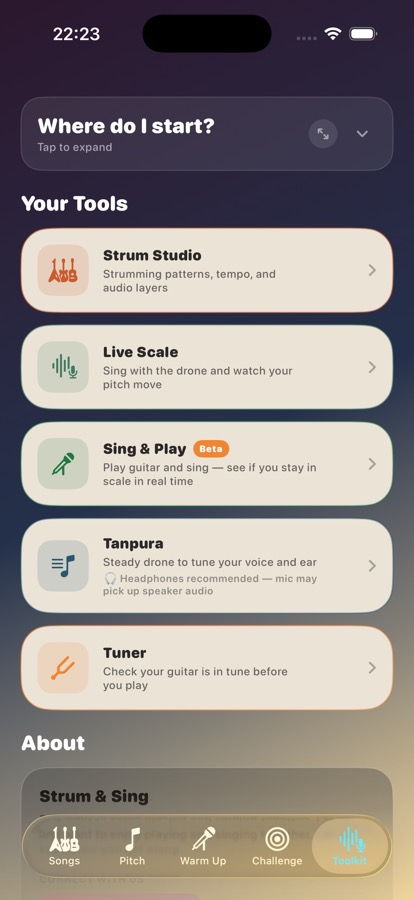
  • Strum Studio keeps rhythm patterns, tempo, and audio layers in one place.
  • Learn Chords gives you a quick shape reference before you play a song.
  • Live Scale and Tanpura use the scale saved in Pitch Setup.
  • Sing & Play helps you check whether guitar and voice stay in scale together.
  • Tuner helps you check the guitar before you play.
Toolkit tab showing Strum Studio, Live Scale, Sing and Play, Tanpura, and Tuner cards

Start a focused practice session.

Download Strum & Sing on the App Store and use a few clear minutes each day to start with a nursery rhyme, find a song, learn chords, warm up, train pitch, solve a Mystery Sequence, and share a small win.

Download now